Features
Everything you need to run an interactive session.
Slide sync, live drawing, polls, Q&A, code joining and guest presenters. Every screenshot on this page is from a real session.
Real-time slide sync
Upload a PDF and present it. Every slide change reaches each connected device the moment you make it.
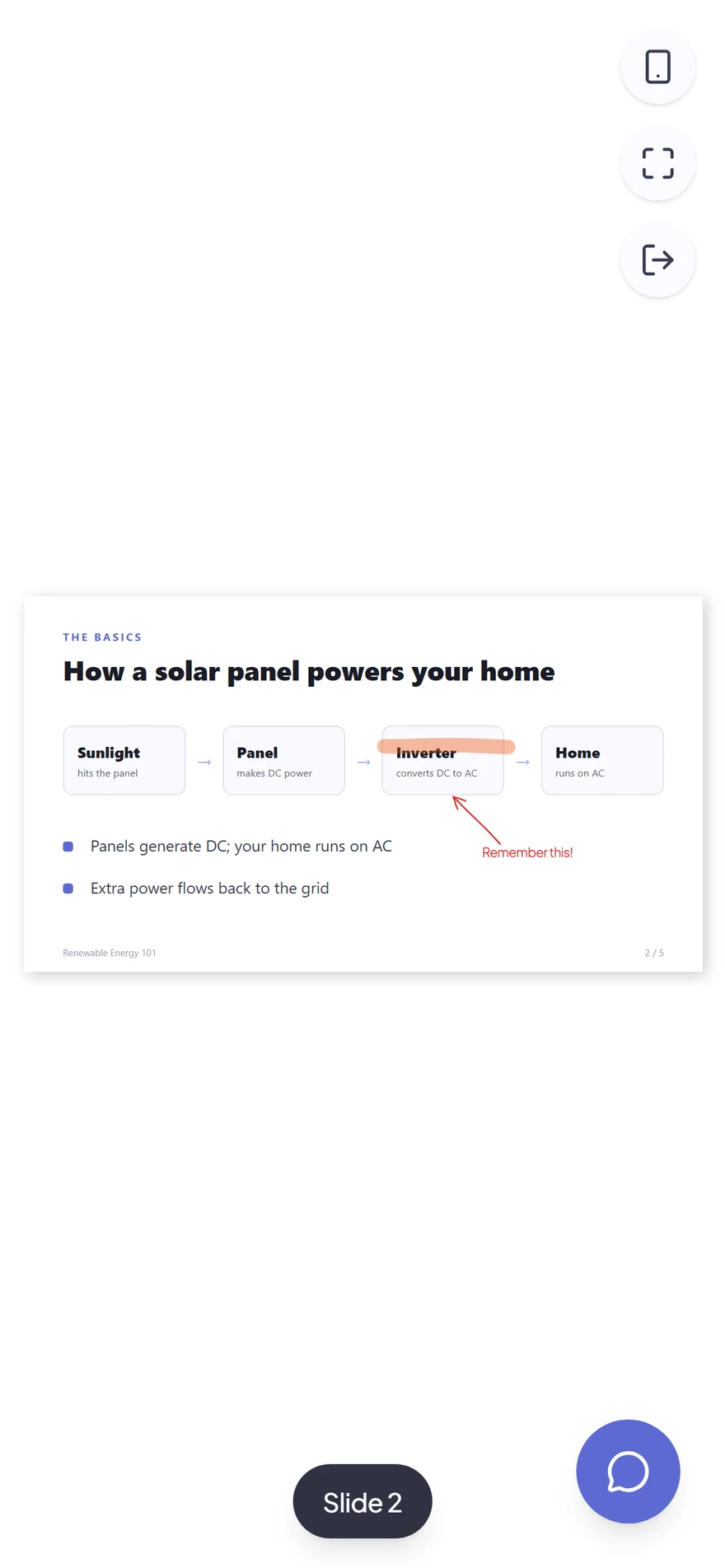
Participants who join late land on the current slide with any ink already drawn. If they lose connection, they rejoin where the room is.
- Up to 150 devices in one session
- Participants can pinch-zoom their own view
- Presenter zoom can follow on every screen
Live drawing & whiteboard
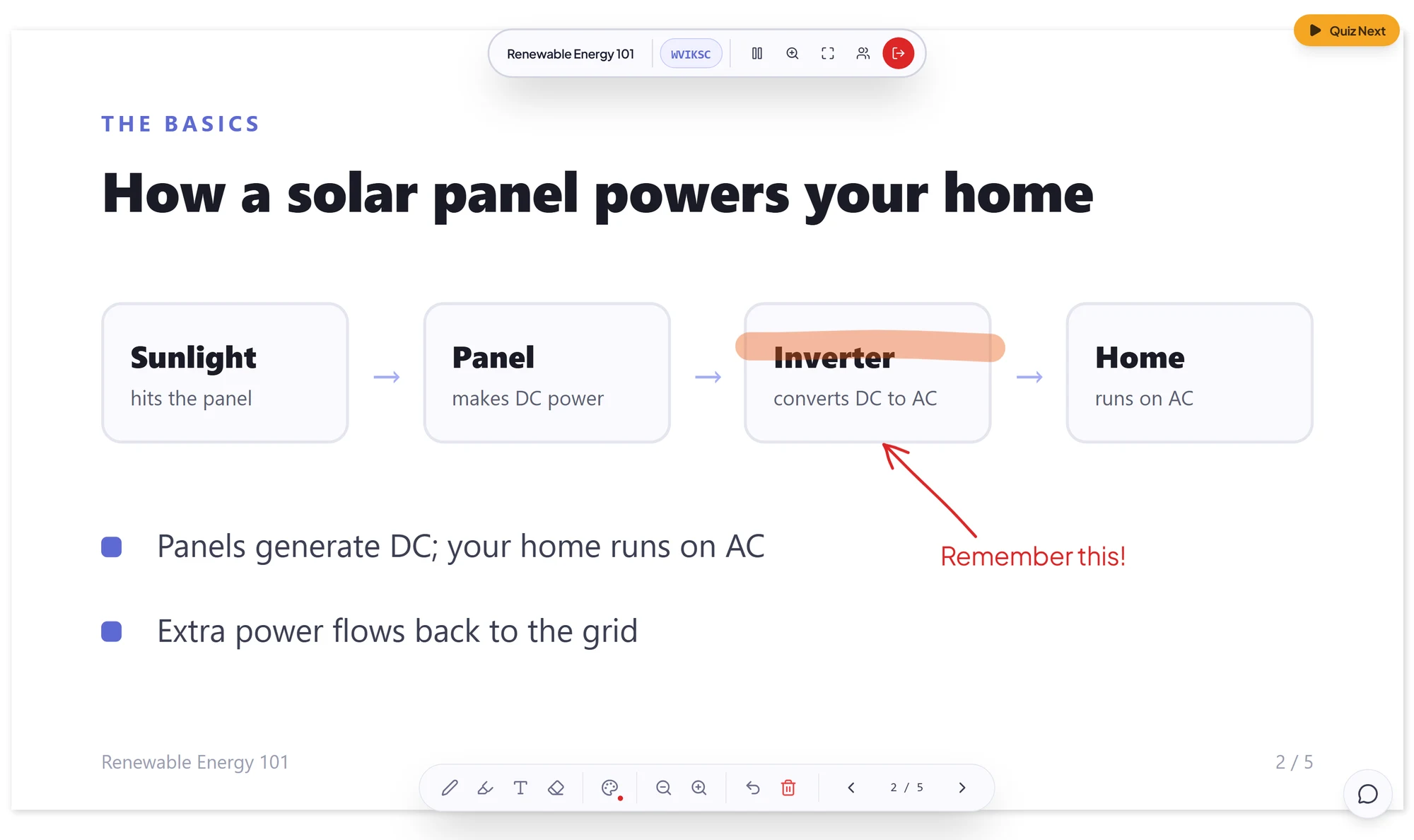
Annotate on top of any slide, or switch to a blank whiteboard. Strokes stream as you draw them.
Switch to the whiteboard for a blank canvas when a slide is not enough, then flip back to your deck. The original PDF is never modified.
- Pen, highlighter and text in 5 sizes
- 5 colours, undo and clear
- Late joiners see ink already on the slide
Polls & quizzes
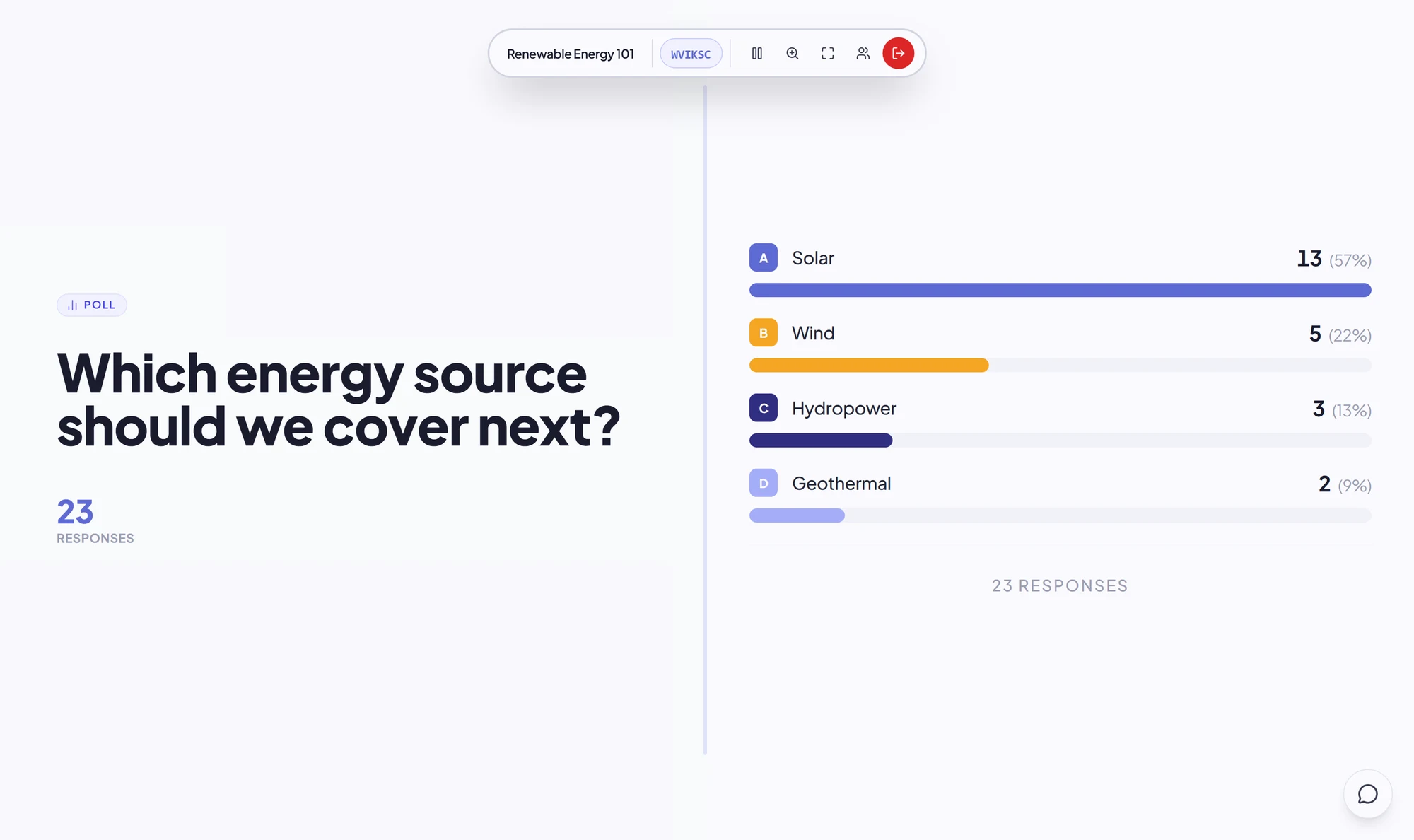
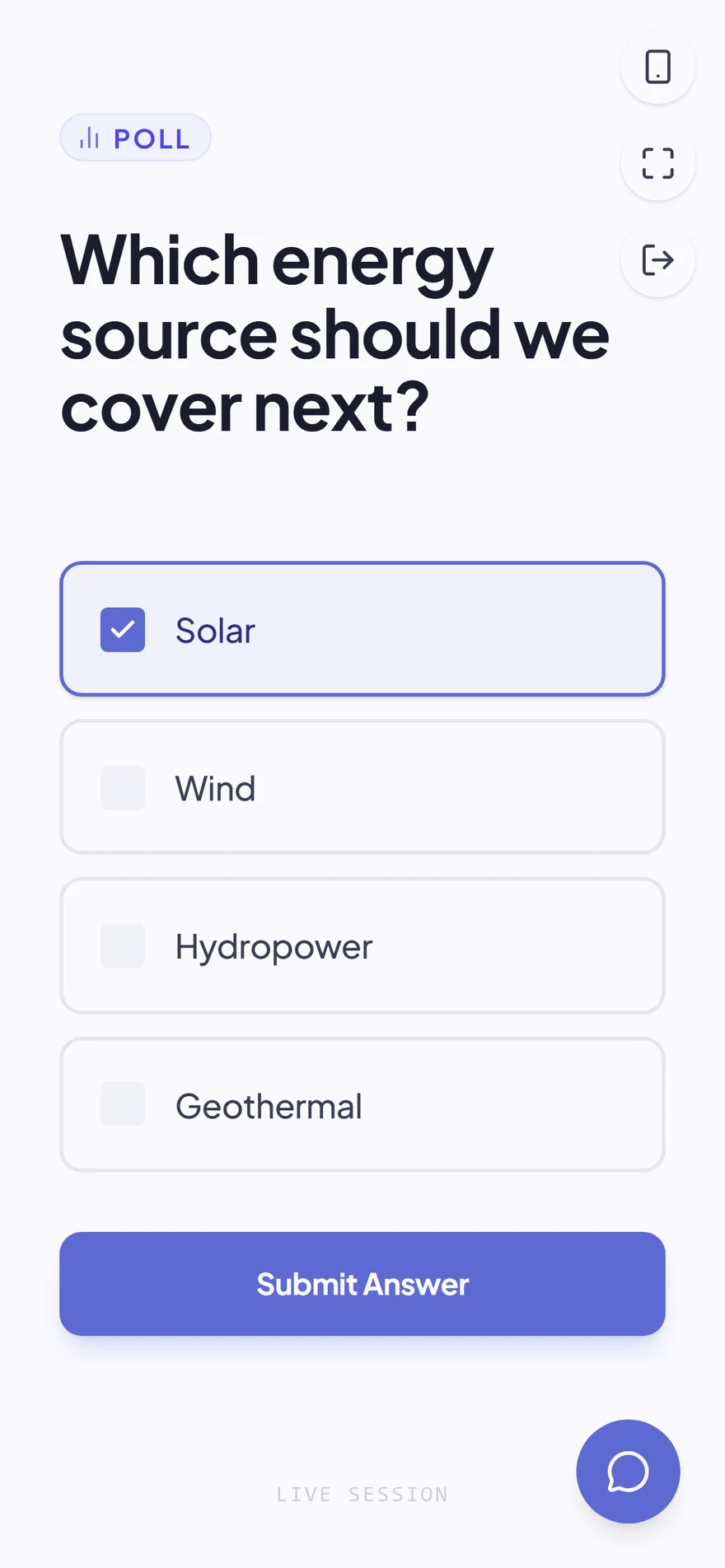
Attach a question after any slide in the editor, then launch it live with one click.
Mark the correct option on a multiple-choice question to grade it, then reveal the answer to the room when you are ready. Graded polls feed the results page.
- Multiple choice with a correct answer to reveal
- Open text shown as a word cloud or list
- Rating on a 1–5 or 1–10 scale
Audience Q&A
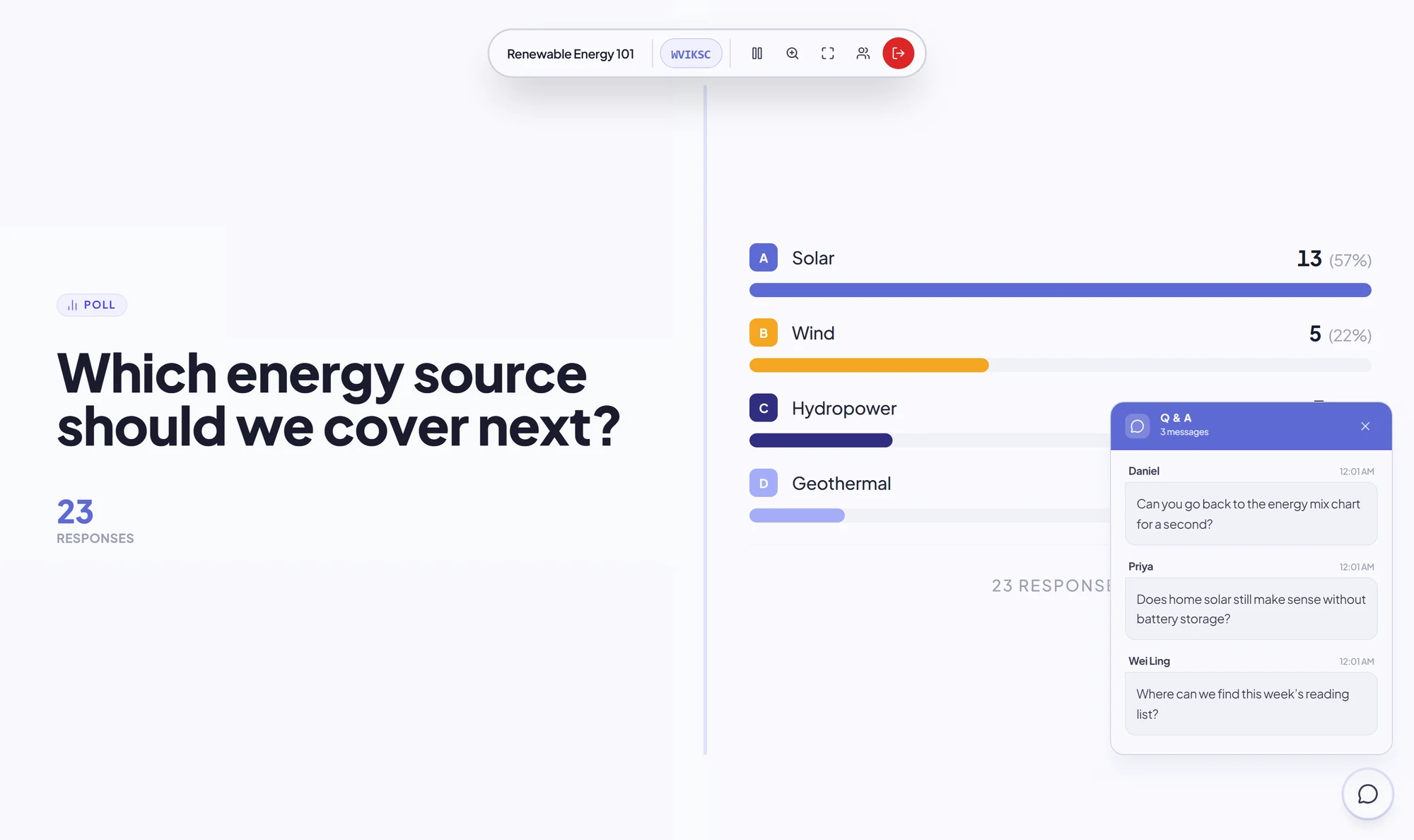
Participants send questions from their device. They queue in a panel you open when you’re ready.
Questions arrive silently in a panel with the participant’s name and time, so you choose when to take them.
- Short questions, up to 70 characters
- Shows who asked and when
- Nobody has to interrupt the talk
Code & QR joining
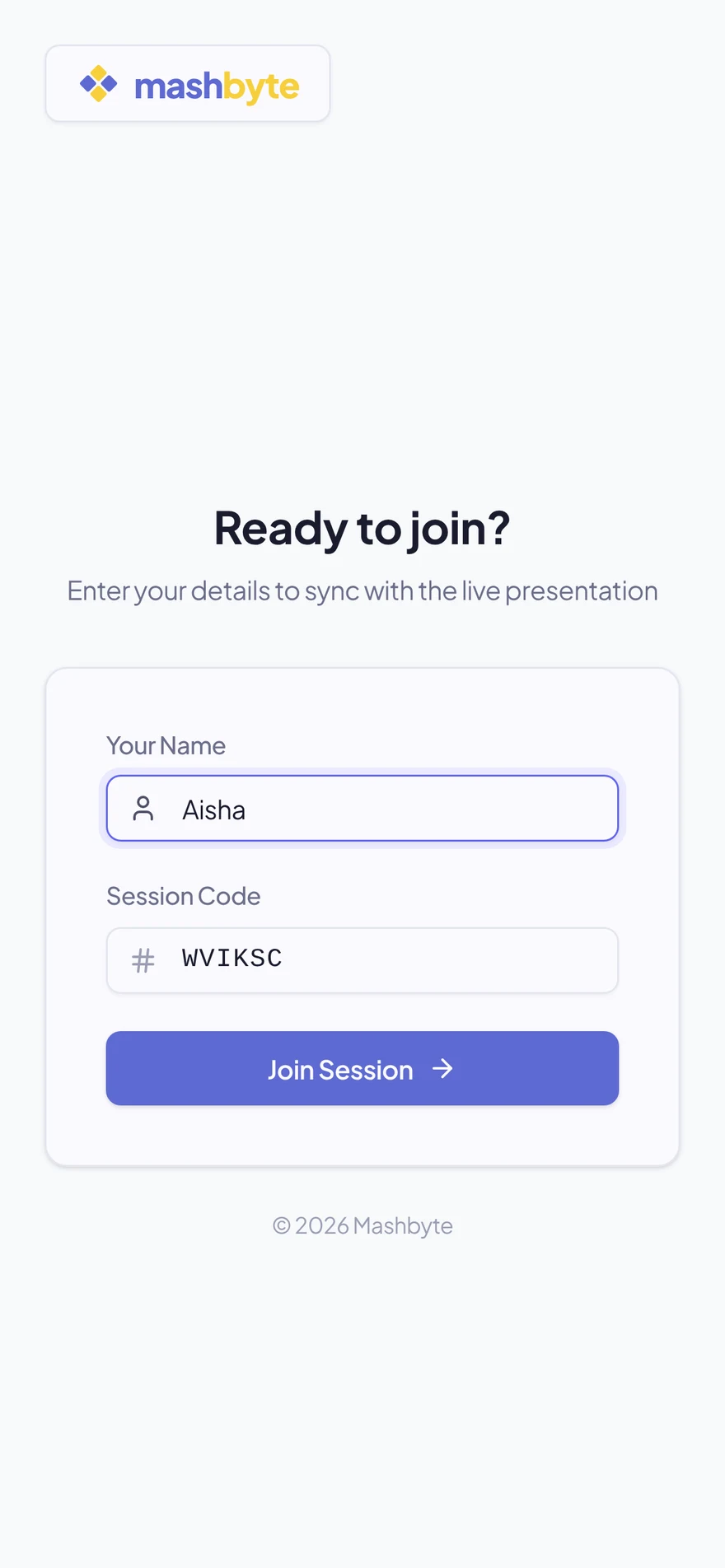
Put the waiting screen up and people join from any browser in seconds. No install, no sign-up.
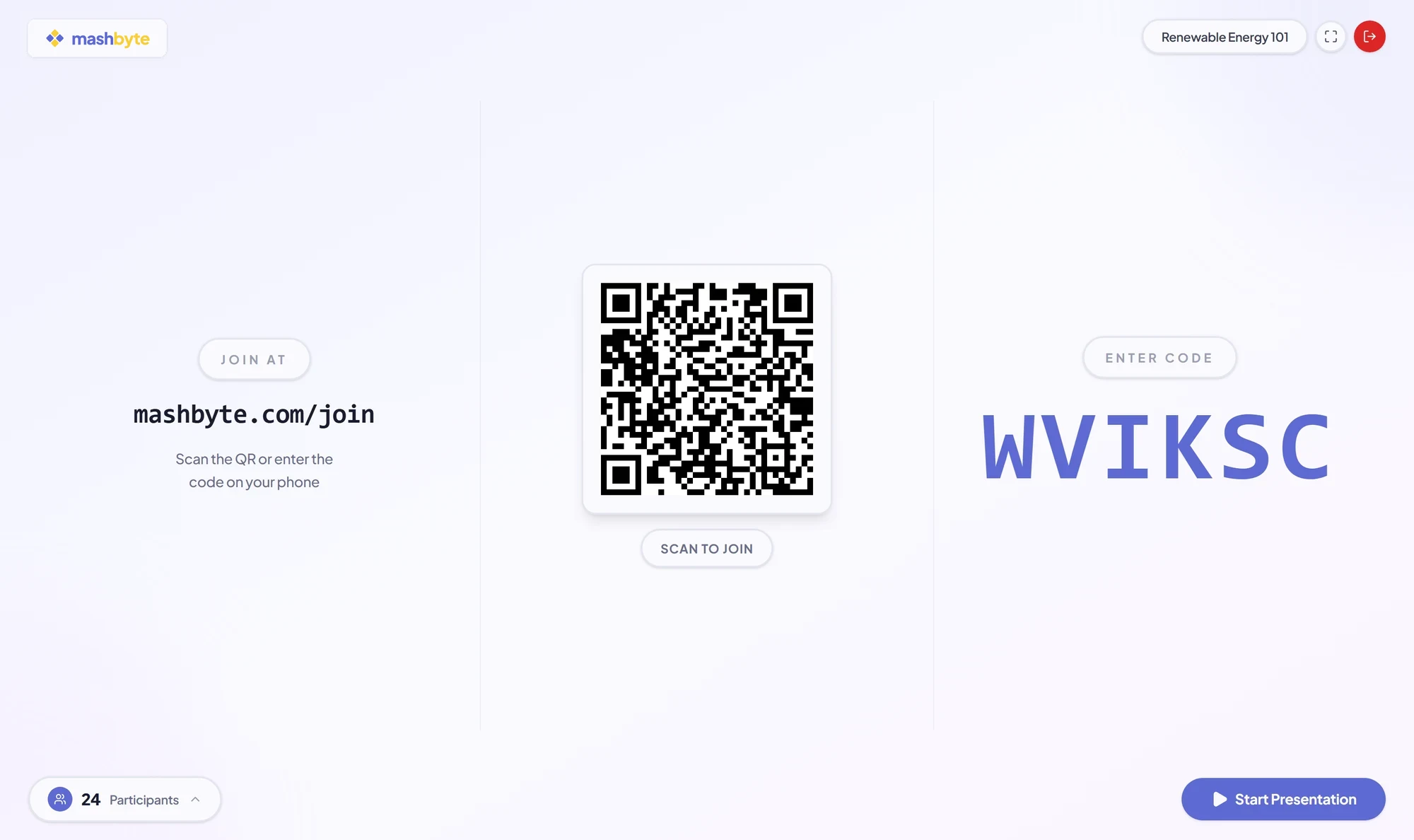
The waiting screen shows the join link, a QR code and the code in large type, plus a live count of who has joined.
- 6-character code, link or QR code
- Participants pick a display name
- Live participant count and roster
Guest presenters
Let a colleague run your deck without handing over your account.
Useful when a colleague presents your deck or covers a class. They sign in with the link and PIN and can only reach that presentation.
- Private link plus a 6-digit PIN
- Access limited to that one presentation
- Revoke access at any time
Presenter view
Built for the person at the front of the room.
Everything you need while presenting is one click away. Your audience only ever sees the slides.
- 1Session barDeck title, join code, zoom, fullscreen, participant roster and end session.
- 2Live inkAnything you draw appears on every participant’s screen as you draw it.
- 3Poll shortcutWhen a poll is attached to this slide, launch it from here.
- 4Drawing & navigationPen, highlighter, text, colours, zoom, undo, clear, and slide controls.
- 5Q&A panelOpens the queue of questions from the room.
After the session
See who followed along, and what didn’t land.
When a session ends you get a results page: a leaderboard for graded polls and a per-question breakdown showing which questions the room found hardest.
Participants
23
Graded polls
5
Average score
76%
Leaderboard
Question difficulty
Share of the room that answered correctly
Example data. Questions under 60% are flagged so you know what to revisit.
Comparison
Why not just share your screen?
Screen sharing sends a video of your slides. Mashbyte sends the slides themselves, rendered on every device.
Security & reliability
Serious about the details.
Built so presenters can rely on it in front of a room, and participants never hand over personal data.
No participant accounts
Participants join with a code and a display name. No email, no password, no profile.
Credentials stored hashed
Presenter passwords and guest PINs are hashed, never stored in plain text.
Verified presenter accounts
Presenter accounts are email-verified before they can sign in.
Scoped guest access
Guest presenters can only reach the one presentation they were invited to.
Reconnects gracefully
If the presenter drops, the session waits 3 minutes for them to come back before ending.
Light on bandwidth
Slide changes and ink travel as small data updates, not as a video stream.
FAQ
Frequently asked questions.
No. They open the join page in any browser, enter the 6-character code (or scan the QR code) and type a display name.
Your next presentation can be a conversation.
Create a free account, upload a PDF and start your first session in minutes.