How it works
From PDF to live session in four steps.
Bring the deck you already have, share a code, and the whole room follows along on their own screens. Here is exactly what happens, for you and for your audience.
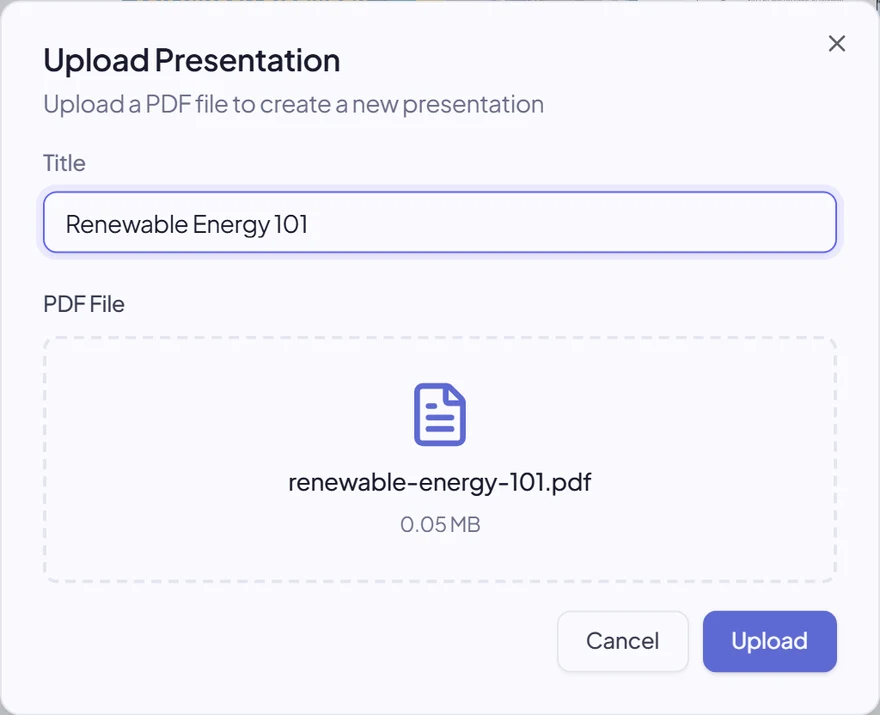
Upload your PDF.
Export your slides as a PDF and drop it into Mashbyte. It is processed instantly — no conversion delays, no special formats. The deck you already have is the deck you present.
- Any PDF works
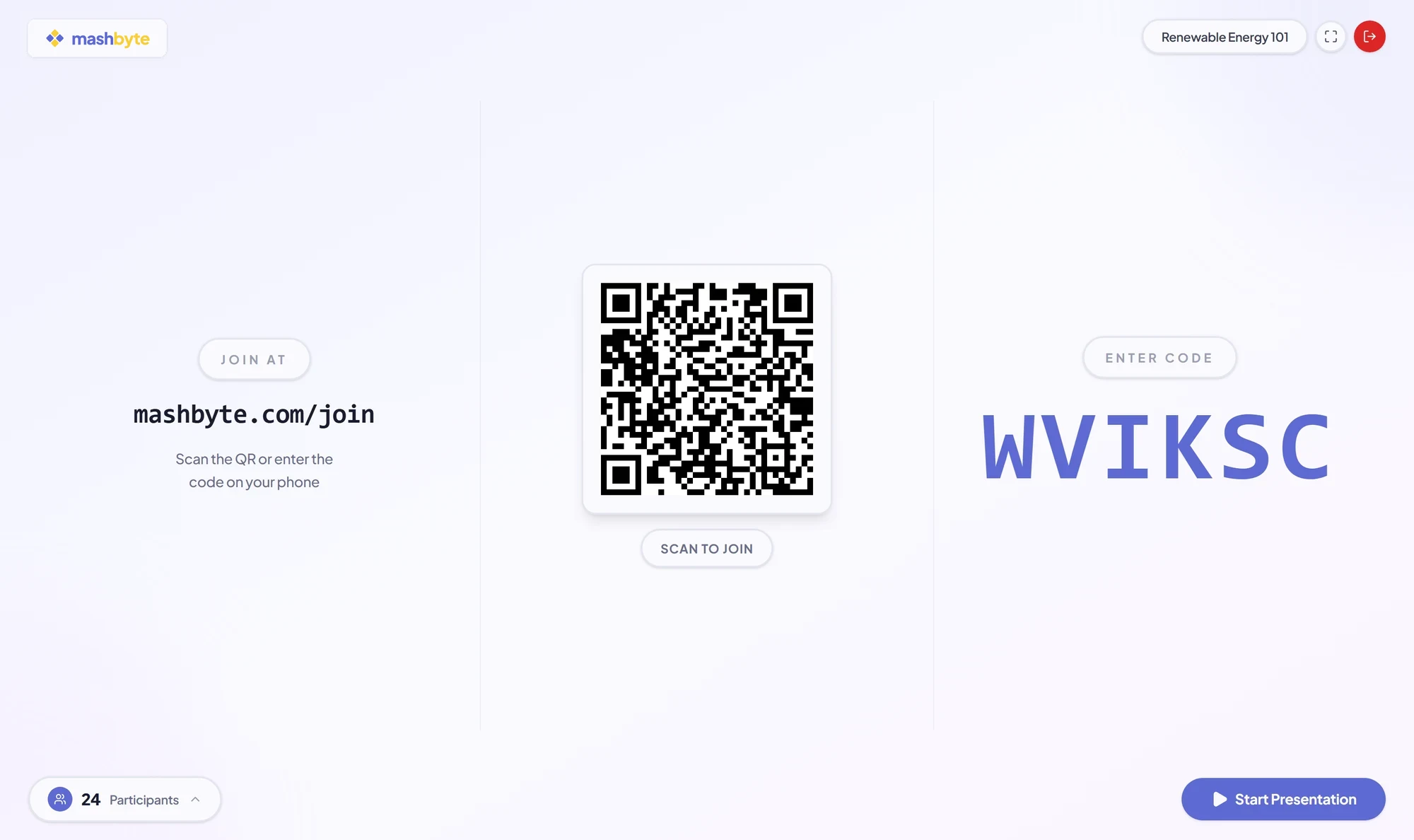
Start your session.
One click creates a live session with its own six-character code and shareable join link. Put the code on screen and you are ready for the room.
- Instant setup
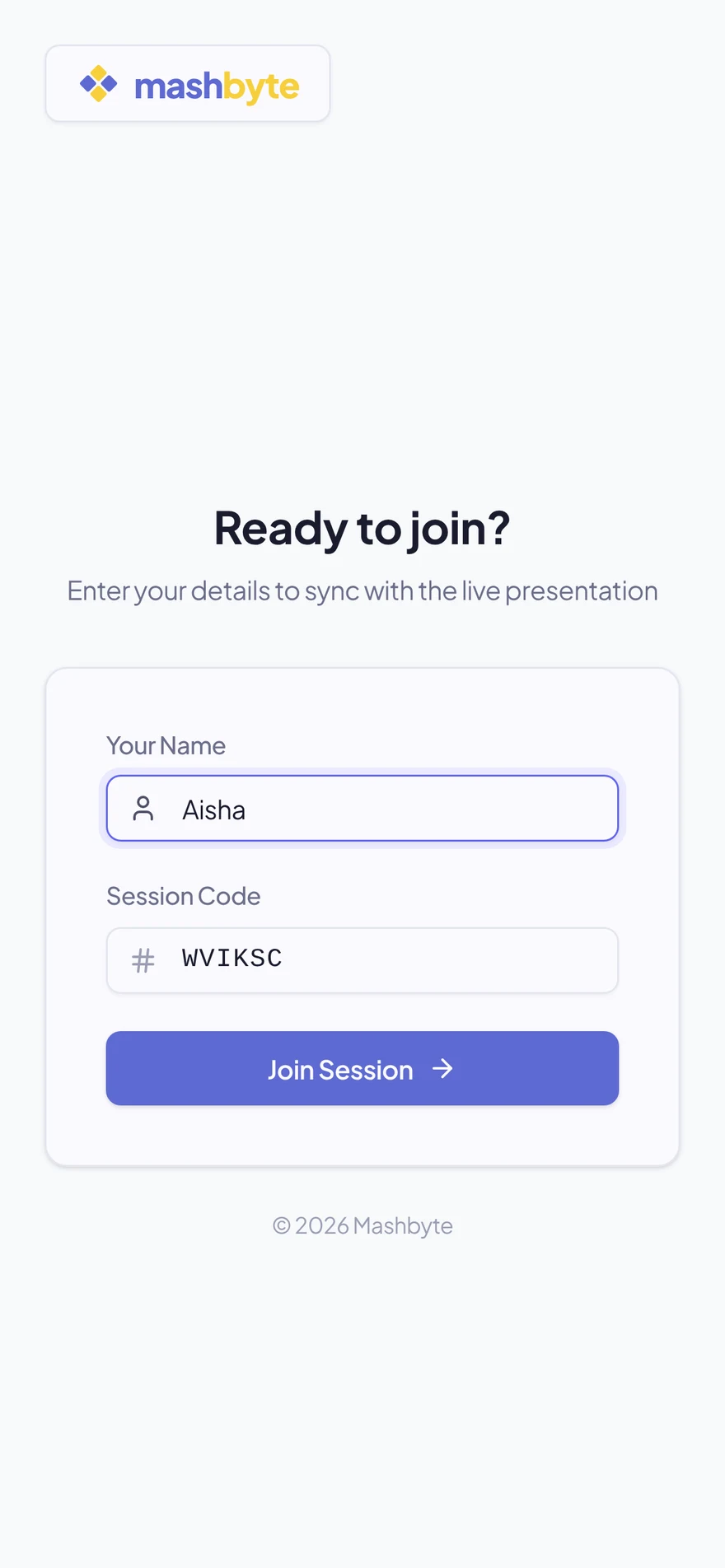
Your audience joins.
Participants enter the code or open the link. They are in within seconds — on any phone, tablet, or laptop. No app, no account, no friction.
- No friction
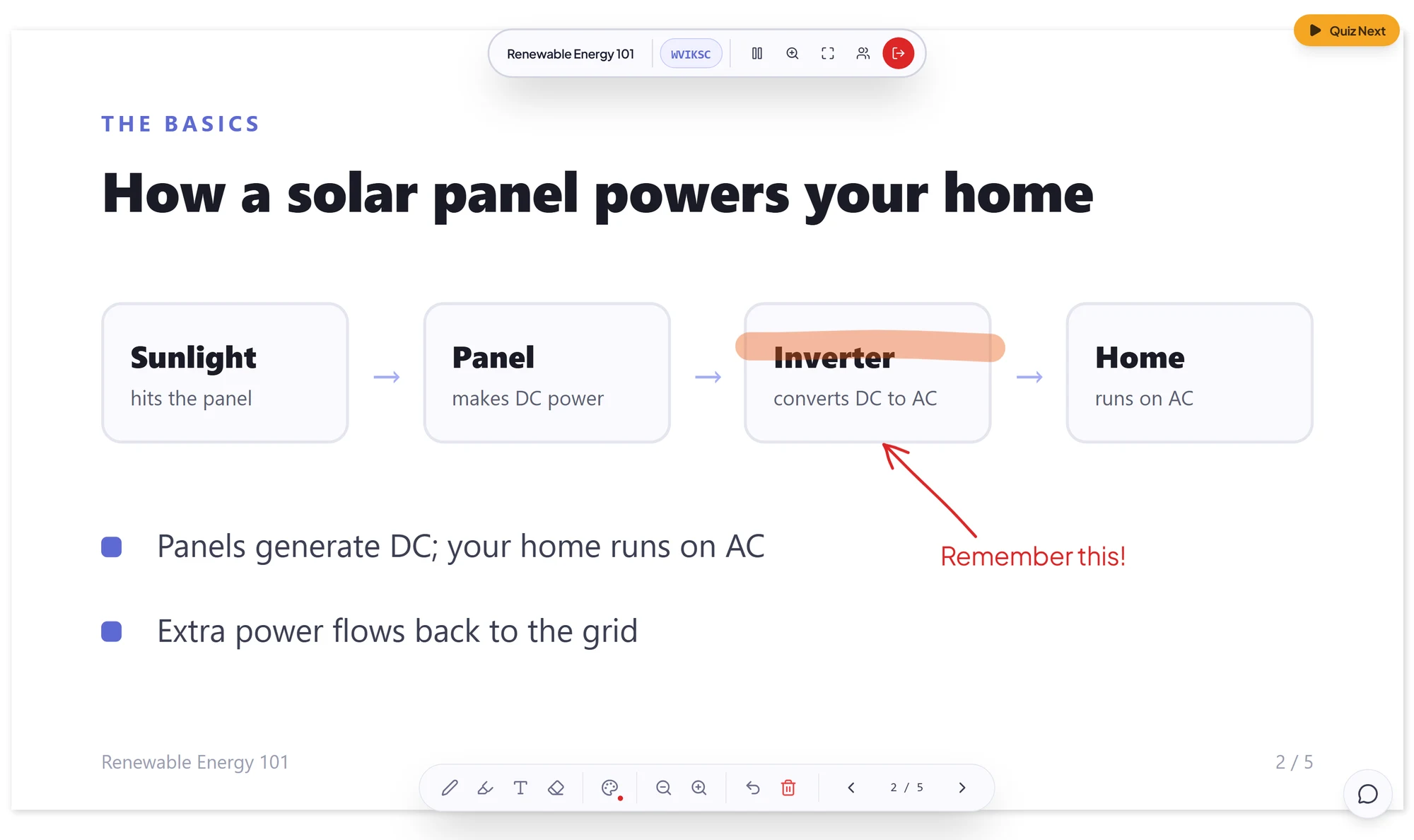
Present and engage.
Navigate slides and everyone follows along in real time. Draw annotations, launch polls, and take questions — the whole room stays perfectly in sync.
- Real-time sync
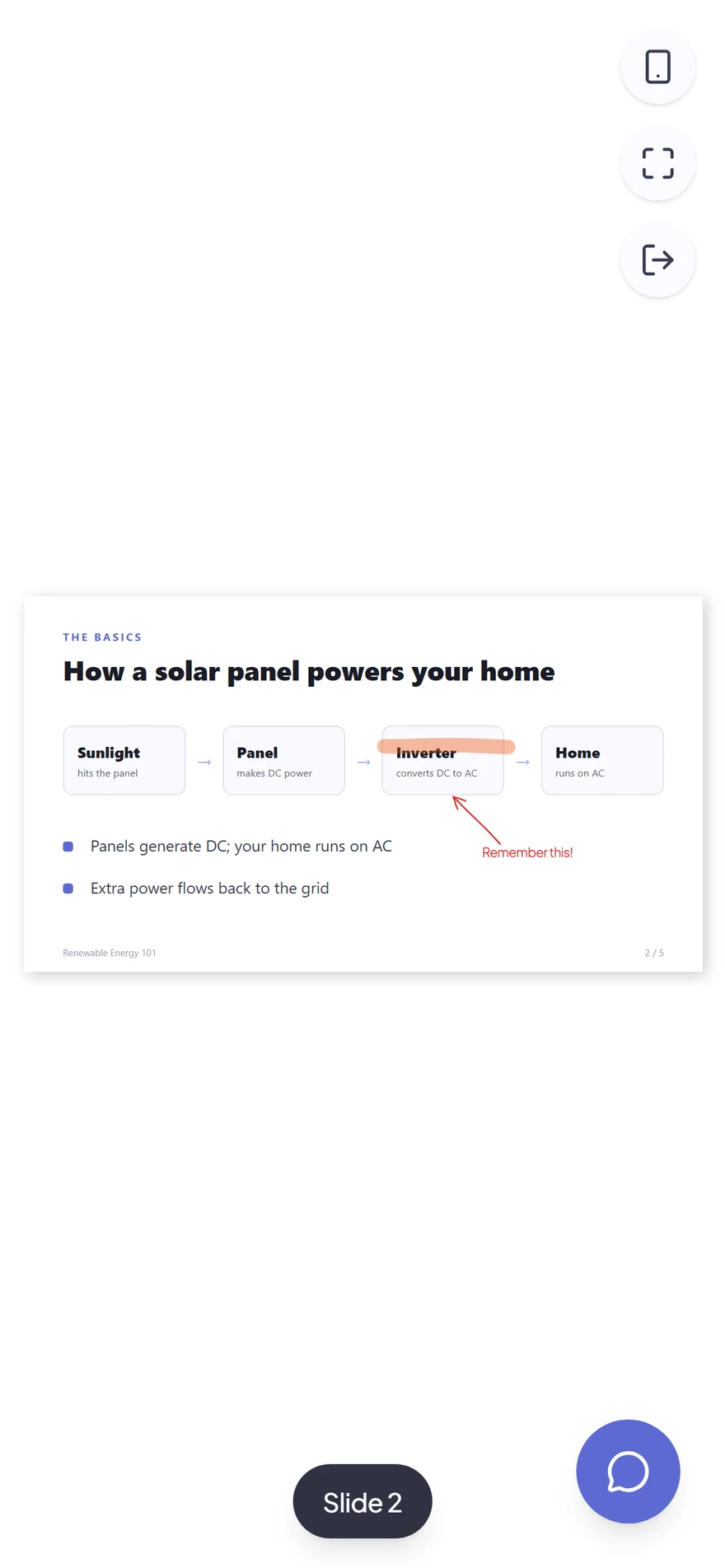
The participant’s side
What your audience sees.
Three screens, no downloads. This is the entire participant experience.
01
Join
Open the link or scan the QR code, enter the code and a display name.
02
Follow along
The current slide and your ink appear on their screen, and they can zoom in.
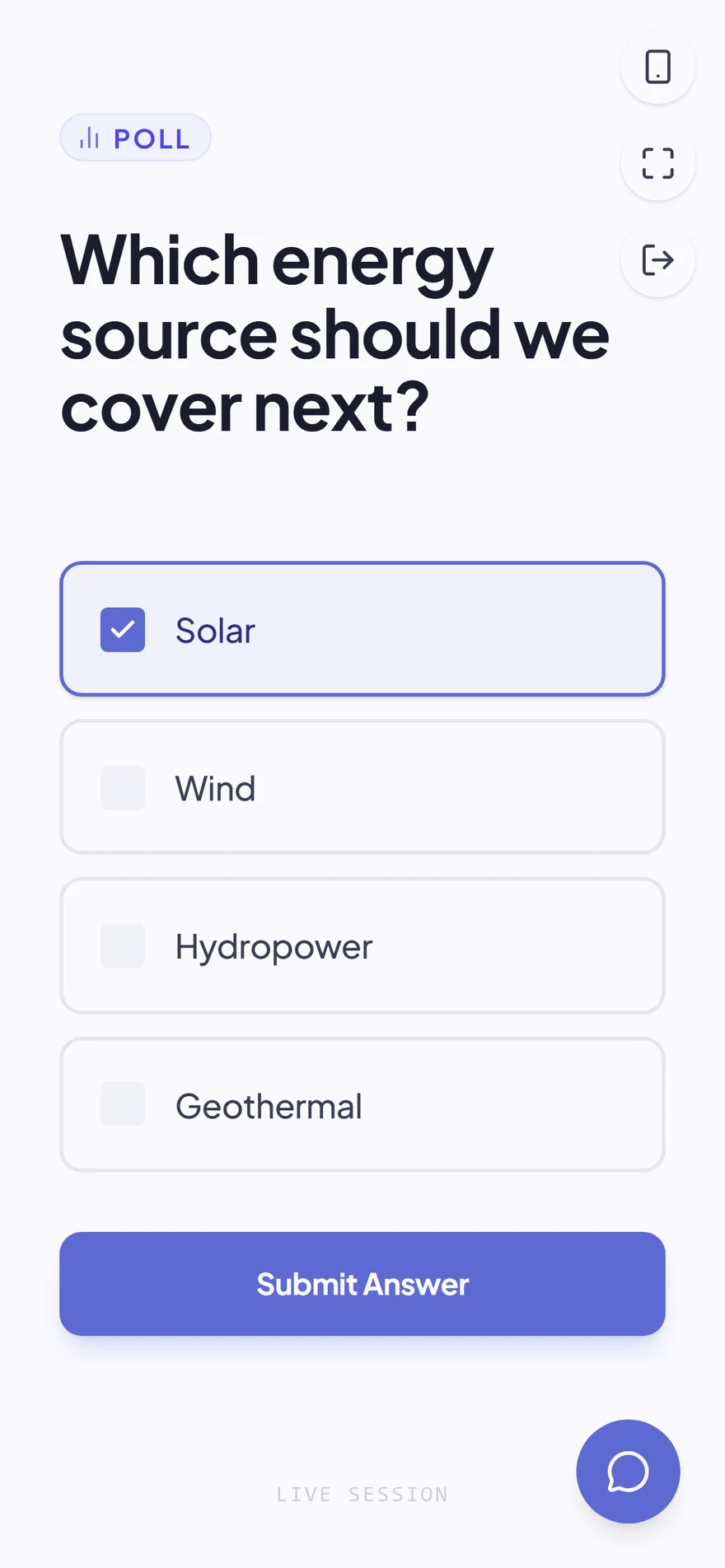
03
Take part
Answer polls and send questions from the same screen, without leaving the slides.
Under the hood
Simple for you, powerful underneath.
PDF processing
Your PDF is converted into vector-ready slides that render perfectly on any device and zoom level.
Session creation
A unique room is created with its own code and shareable link. No account needed for participants.
State synchronization
When you change slides or draw annotations, the changes push to all connected devices instantly.
Interactive elements
Polls are embedded in the session. Responses aggregate in real time for immediate feedback.
FAQ
Frequently asked questions.
No. They open the join page in any browser, enter the 6-character code (or scan the QR code) and type a display name.
Ready to try it yourself?
Create your first session in minutes.